
Your local web interface. Safely on your phone.
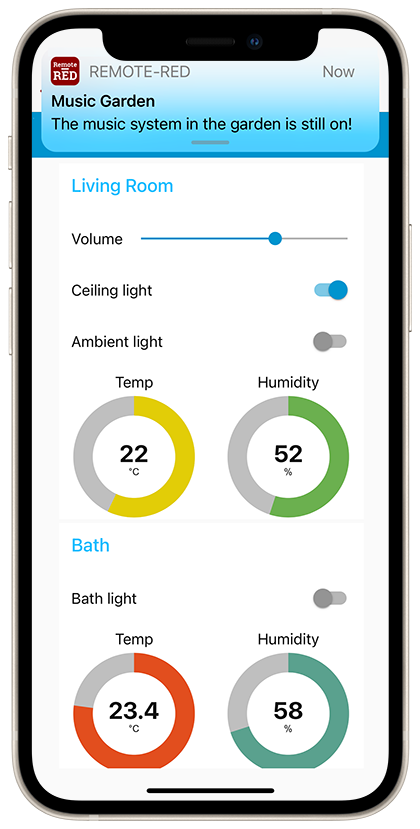
Remote-RED makes local dashboards and web interfaces securely reachable while you're on the go and sends push notifications straight to your phone. Encrypted, with no port forwarding and no domain of your own. For Node-RED, for any Linux system and for Home Assistant.


One principle, three ways onto your system
Remote-RED started out as remote access for Node-RED and is now a platform: the same encrypted tunnel and the same apps bring remote access and push to very different systems. You pick the way that fits yours.
Remote access without port forwarding
Reach your local dashboard or other web interfaces from anywhere over an encrypted tunnel. No open ports, no public IP, no VPN.
Push straight to your phone
Notifications and interactive prompts arrive as native push messages on iOS and Android. Whether you're at home or not.
Set up in minutes
Set up, scan the QR code, done. No cloud account for the end customer, no server administration and no app development needed.
Choose your way onto the system
Three integrations, one shared foundation. All of them use the same secure servers and the same apps.
Remote-RED for Node-RED
The original integration and still the one with the largest feature set. As a node right inside Node-RED: remote access to the dashboard, push notifications, interactive questions and geofencing.
- Remote access & actions
- Push & interactive questions
- Geofencing
Remote-RED Agent for Linux
A single binary for any Linux system. It makes your product's local web UI reachable and sends push from any script. No Node-RED, no Home Assistant. Made above all for makers of their own devices.
- Remote access for any web UI
- Notifications from any script
- Your product, now with an app
Remote Assistant
Remote-RED for Home Assistant: affordable remote access to your Home Assistant dashboard, entirely without installing a VPN. As a custom component plus a dedicated app for iOS and Android.
- Remote access to the HA dashboard
- No VPN, no port forwarding
- Install via HACS or add-on
For yourself or for your customers
Remote-RED can be used in two ways: as a private user through simple in-app purchases, or as a partner billed centrally through your partner account when you equip customers or your own products.
Private use
Using Remote-RED for your own smart home or homelab? Just download the app and unlock the features via in-app purchase. Remote access, push and geofencing can be booked individually, each with a short trial period.
See pricingPartner program
Are you an installer, system integrator or device maker? Through the partner program your customers get all features unlocked without paying anything themselves. Billing runs centrally through your account, at volume prices. Your own app and your own server are possible.
Go to the partner programSecurely built, the same on every path
Whether Node-RED, Linux Agent or Home Assistant: the same security mechanisms apply.
No open ports
The tunnel only ever goes outbound. Not a single inbound port needs to be opened on your system, and it needs neither a public IP nor a domain.
Encrypted
All connections run over HTTPS with a client certificate per instance and an SSH tunnel. The same mechanisms in every component.
Servers in your region
When setting up, you choose the server location your connection is routed through. For partners, a dedicated server of your own is available on request.